ST editor (Structured Text)
Structured Text (ST) is the high-level IEC 61131-3 language, with a Pascal-like syntax. It is the most convenient for calculations, state machines, loops and complex logic that would take many rungs in Ladder.
How code is organised
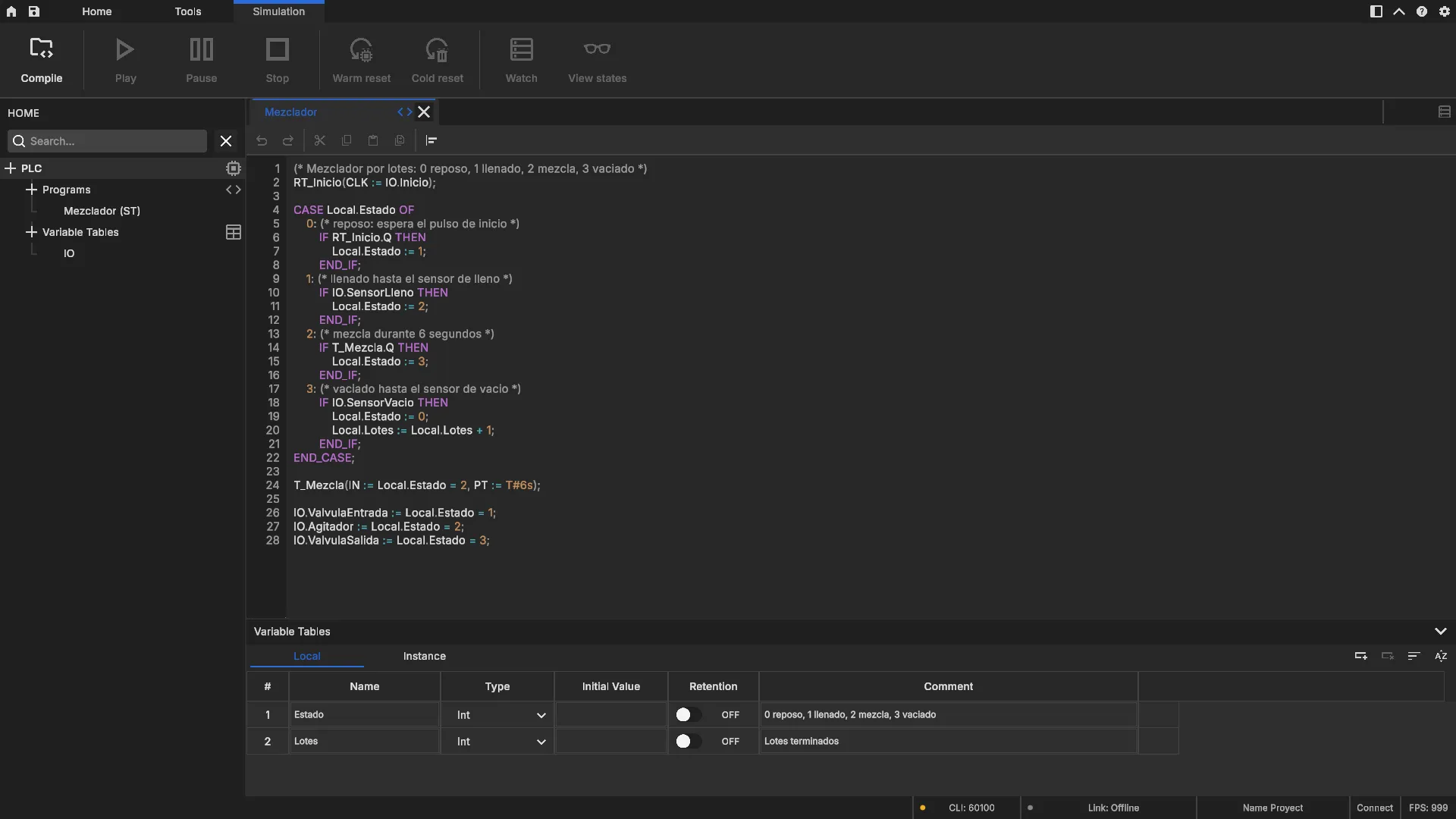
Section titled “How code is organised”In ProtoCode an ST file contains statements only: there is no need for PROGRAM … END_PROGRAM or VAR … END_VAR blocks. Variables are declared in tables:
| What | Where it is declared | How it is used in code |
|---|---|---|
| Global variables | Project tables (e.g. IO) |
IO.Motor |
| Local variables | Local section of the bottom panel | Local.Estado |
| Function / FB inputs and outputs | Input / Output / InOut sections | Input.Name, Output.Name, InOut.Name |
| Function block instances | Instance section (name + type, e.g. T1 : TON) |
T1(IN := …, PT := …); and T1.Q |
Basic syntax
Section titled “Basic syntax”(* This is a block comment *)// This is a line comment
IO.Motor := TRUE; (* assignment with := *)Local.Counter := Local.Counter + 1;Local.Temperature := 21.5; (* REAL *)Local.Delay := T#2s500ms; (* TIME *)Local.Mask := 16#00FF; (* hexadecimal *)Every statement ends with ;. Keywords are case-insensitive, but by convention they are written in upper case.
Operators
Section titled “Operators”| Kind | Operators |
|---|---|
| Arithmetic | + - * / MOD ** (power) |
| Comparison | = <> < <= > >= |
| Logic / bitwise | AND (&) OR XOR NOT |
| Grouping | ( ) |
Control statements
Section titled “Control statements”IF IO.Level < 20 THEN IO.Pump := TRUE;ELSIF IO.Level > 80 THEN IO.Pump := FALSE;ELSE (* between 20 and 80: keep the state (hysteresis) *)END_IF;CASE Local.State OF 0: IO.Lamp := FALSE; 1, 2: IO.Lamp := TRUE; 3..5: IO.Alarm := TRUE;ELSE Local.State := 0;END_CASE;Local.Sum := 0;FOR Local.i := 1 TO 10 BY 1 DO Local.Sum := Local.Sum + Local.i;END_FOR;WHILE Local.Value > 100 DO Local.Value := Local.Value / 2;END_WHILE;
REPEAT Local.Tries := Local.Tries + 1;UNTIL Local.Tries >= 3END_REPEAT;Inside a loop, EXIT leaves the loop and CONTINUE skips to the next iteration. RETURN ends the file’s execution for the current scan.
Function blocks and functions
Section titled “Function blocks and functions”Calling a function block (FB)
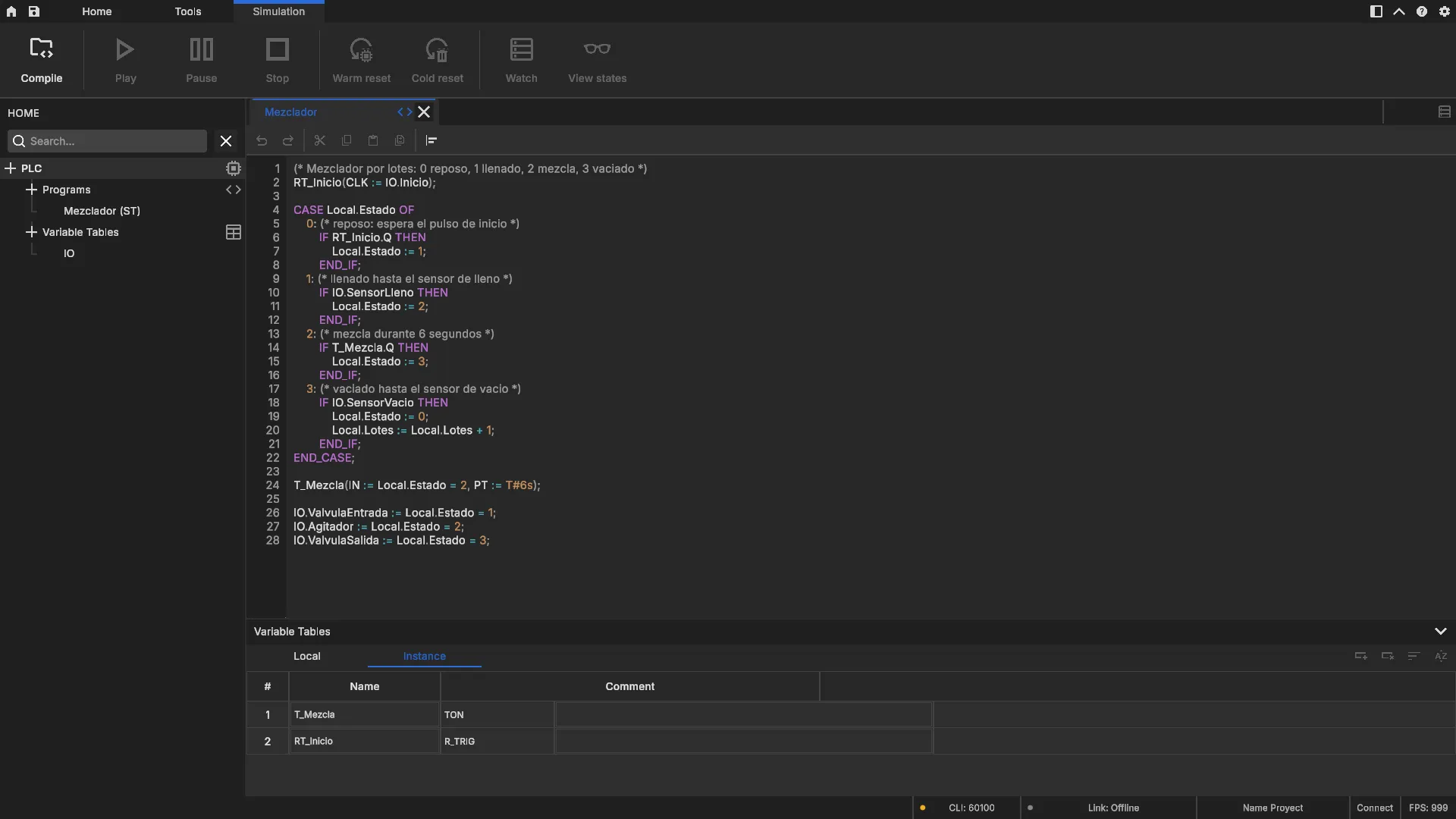
Section titled “Calling a function block (FB)”- Declare the instance in the Instance table (e.g.
T_Mixof typeTON). - Call it with its inputs by name using
:=. - Read its outputs with
instance.output.
T_Mix(IN := Local.State = 2, PT := T#6s);
IF T_Mix.Q THEN    Local.State := 3;END_IF;
Local.Elapsed := T_Mix.ET; (* elapsed time *)Calling a function
Section titled “Calling a function”Functions return a value and are used inside expressions, with the arguments in pin order:
Local.Setpoint := LIMIT(0.0, Local.Input, 100.0); (* MN, IN, MX *)Local.Larger := MAX(Local.A, Local.B);Local.Percent := SCALE(IO.Level, 0, 27648, 0.0, 100.0); (* IN, InMin, InMax, OutMin, OutMax *)Local.Output := SEL(IO.Manual, Local.Auto, Local.Hand); (* G, IN0, IN1 *)Your own project functions and function blocks are called the same way. See every available block in the block library.
Examples
Section titled “Examples”(* ST equivalent of the Ladder seal-in rung *)IO.Motor := (IO.Start OR IO.Motor) AND IO.Stop AND NOT IO.Overload;
IO.RunLamp := IO.Motor;IO.FaultLamp := IO.Overload;(* Instances: T_On : TON, T_Off : TON *)T_On(IN := IO.Enable AND NOT T_Off.Q, PT := T#500ms);T_Off(IN := T_On.Q, PT := T#500ms);
IO.Lamp := IO.Enable AND NOT T_On.Q;(* Instances: RT_Sensor : R_TRIG, C_Parts : CTU *)RT_Sensor(CLK := IO.Sensor);C_Parts(CU := RT_Sensor.Q, R := IO.Reset, PV := 10);
Local.Parts := C_Parts.CV;IO.BatchDone := C_Parts.Q;(* IO.SensorRaw : INT (0..27648), Local.Temp : REAL *)Local.Temp := SCALE(IO.SensorRaw, 0, 27648, -20.0, 120.0);
(* High temperature alarm with a 5 s delay *)T_Alarm(IN := Local.Temp > 90.0, PT := T#5s);IO.TempAlarm := T_Alarm.Q;
(* Fan with hysteresis: ON > 60 °C, OFF < 50 °C *)IF Local.Temp > 60.0 THEN IO.Fan := TRUE;ELSIF Local.Temp < 50.0 THEN IO.Fan := FALSE;END_IF;(* Local.Step : INT, instance T_Drill : TON *)CASE Local.Step OF 0: (* idle *) IF IO.Start AND IO.PartPresent THEN Local.Step := 10; END_IF; 10: (* move down *) IO.Down := TRUE; IF IO.LowerLimit THEN IO.Down := FALSE; Local.Step := 20; END_IF; 20: (* drill for 3 s *) IO.Spindle := TRUE; IF T_Drill.Q THEN IO.Spindle := FALSE; Local.Step := 30; END_IF; 30: (* move up *) IO.Up := TRUE; IF IO.UpperLimit THEN IO.Up := FALSE; Local.Step := 0; END_IF;END_CASE;
T_Drill(IN := Local.Step = 20, PT := T#3s);The Batch mixer template contains a complete state machine ready to simulate.
Editor tools
Section titled “Editor tools”- Syntax highlighting: keywords, variables, numbers, times and comments.
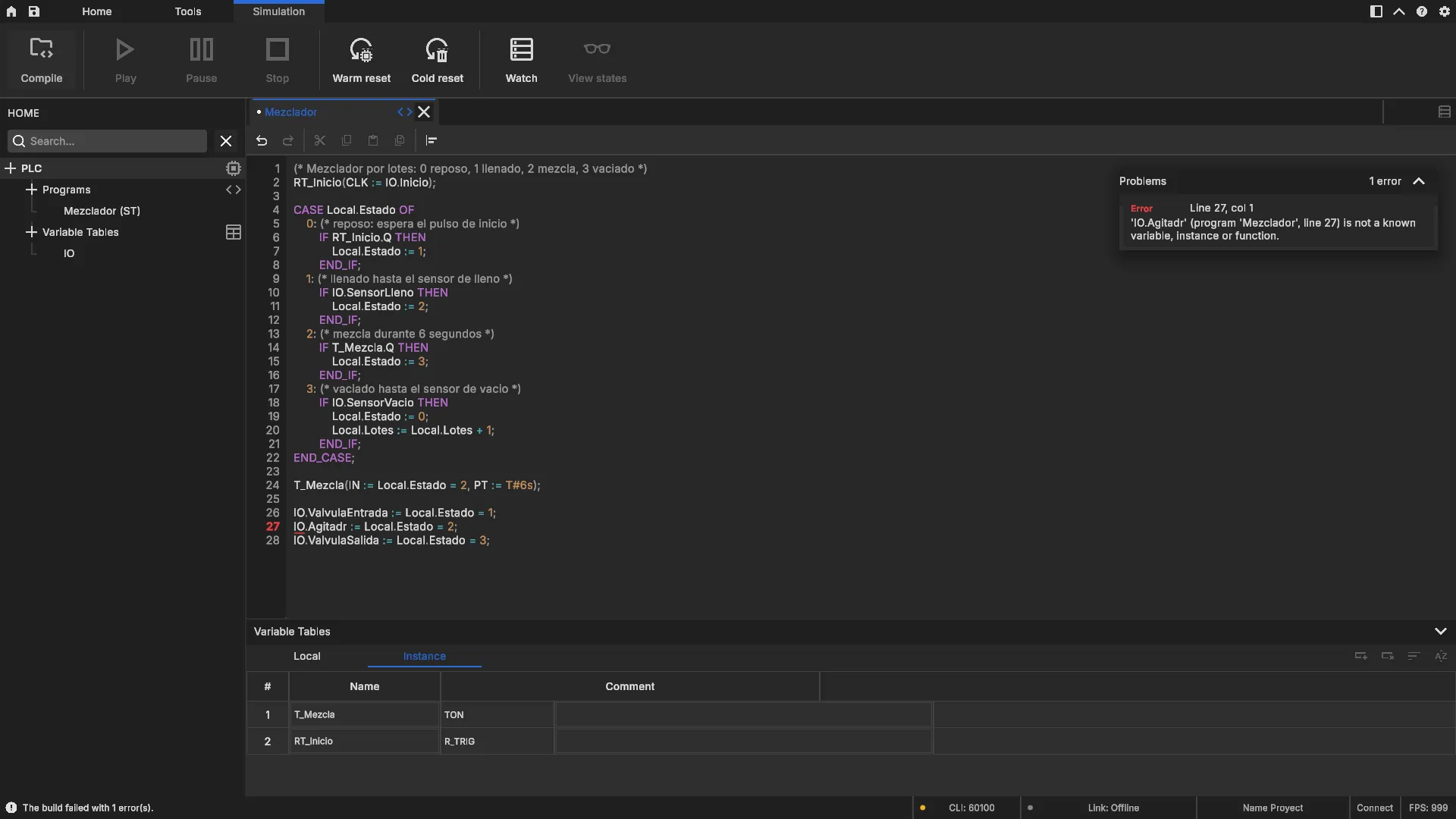
- Line numbers and a red mark on lines with errors.
- A Problems panel listing the file’s errors and warnings (line, column and message).
| Shortcut | Action |
|---|---|
Ctrl+/ or Ctrl+K |
Comment / uncomment lines |
Ctrl+Shift+K |
Delete lines |
Alt+↑ / Alt+↓ |
Move lines up / down |
Alt+Shift+↓ |
Duplicate lines |
Alt+Shift+F |
Format (indent) the code |
Ctrl+. / Alt+Enter |
Declare the variable under the caret (Ctrl+Shift+. for all) |
F2 |
Rename the identifier under the caret throughout the file |
F12 |
Go to declaration |
F8 / Shift+F8 |
Next / previous problem |
Ctrl+S |
Save |
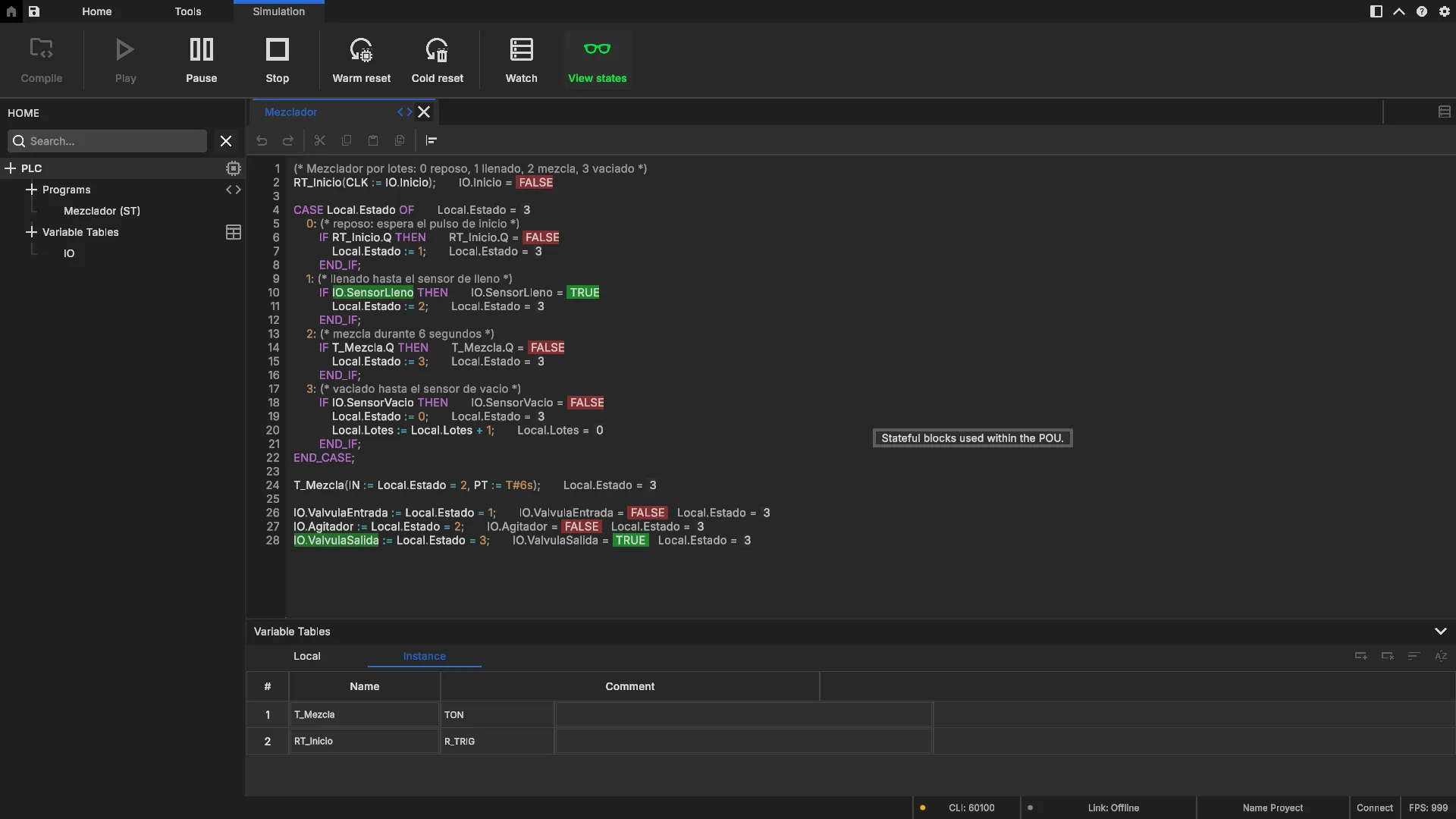
During simulation
Section titled “During simulation”With View states on, the editor shows the current value of the variables used on each line to the right of that line. Boolean values are highlighted in green (TRUE) or red (FALSE). The text is locked, but you can still navigate it, use F12/F8 and right-click a variable to force it.