
Tasks
A PLC does not run its programs once: it repeats them in scan cycles (read inputs → run programs → write outputs). Tasks define when and in which order each program runs.
Open the editor with Tools → Tasks.
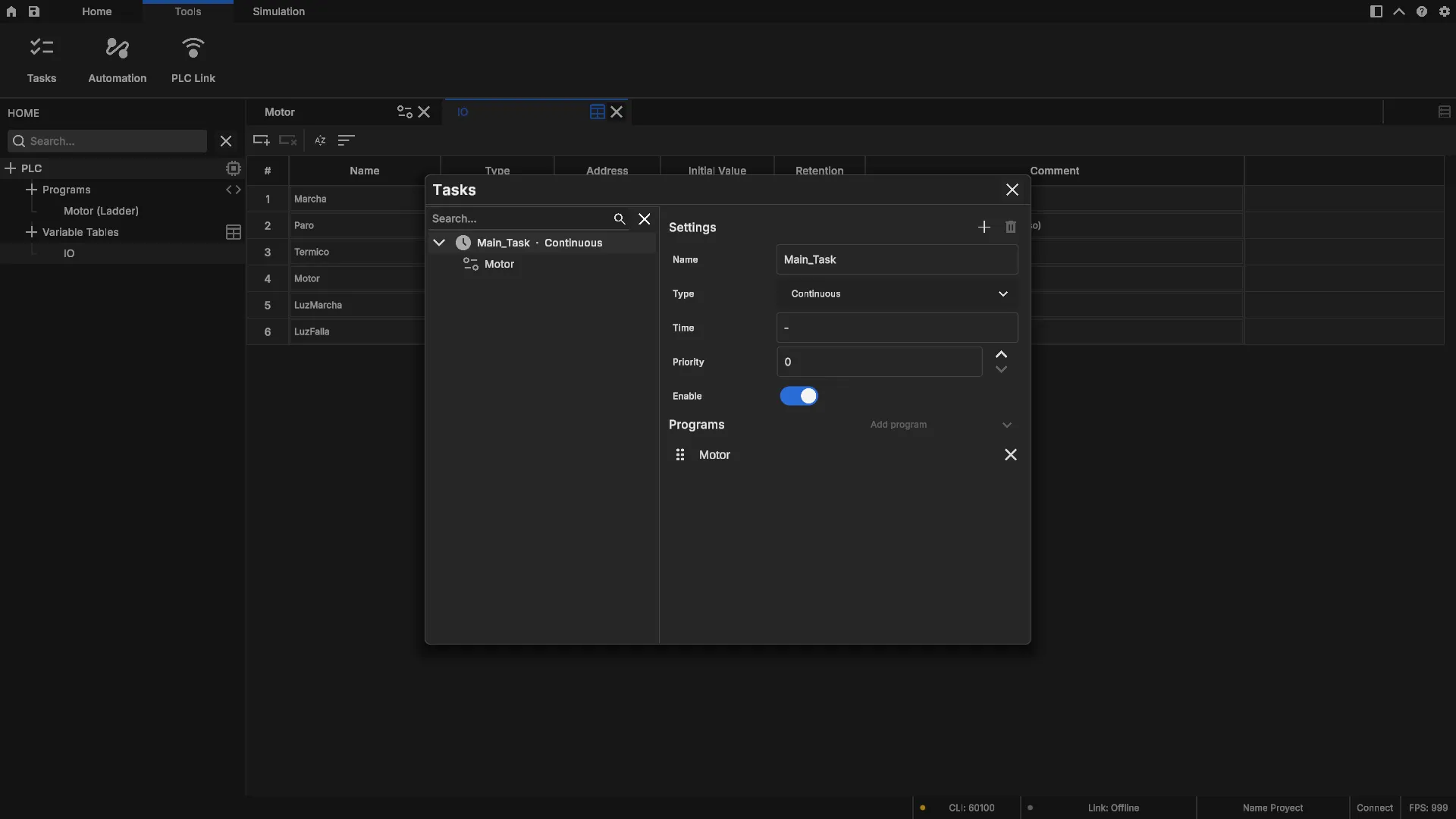
Task list (left)
Section titled “Task list (left)”Shows each task with its type and, below it, the programs assigned to it. Use the search box to filter.
Task settings (right)
Section titled “Task settings (right)”| Field | Description |
|---|---|
| Name | Task name. |
| Type | Continuous: runs every scan, as fast as possible. Periodic: runs at a fixed interval. |
| Time | Period in milliseconds (periodic tasks only), e.g. 100 = every 100 ms. |
| Priority | When several tasks are due at the same time, the one with the higher number runs first. |
| Enable | Turns the task on or off without deleting it. A disabled task does not run its programs. |
The + and bin buttons in the header create and delete tasks.
Programs in a task
Section titled “Programs in a task”Programs lists the assigned programs in execution order:
- Add program adds a program to the task.
- Drag the ⋮⋮ handle to change the order.
- × removes the program from the task (it does not delete it from the project).
Main task
Section titled “Main task”Every new project includes Main_Task (continuous). New programs are assigned to it by default; you can pick another task in the New file dialog.
When to use several tasks
Section titled “When to use several tasks”- Continuous: general machine logic, interlocks, sequences.
- Fast periodic (10–50 ms): logic that needs a fixed sample time, e.g. a PID loop, filters or integrators.
- Slow periodic (500 ms–1 s): statistics, communications or anything that does not need to run every scan.