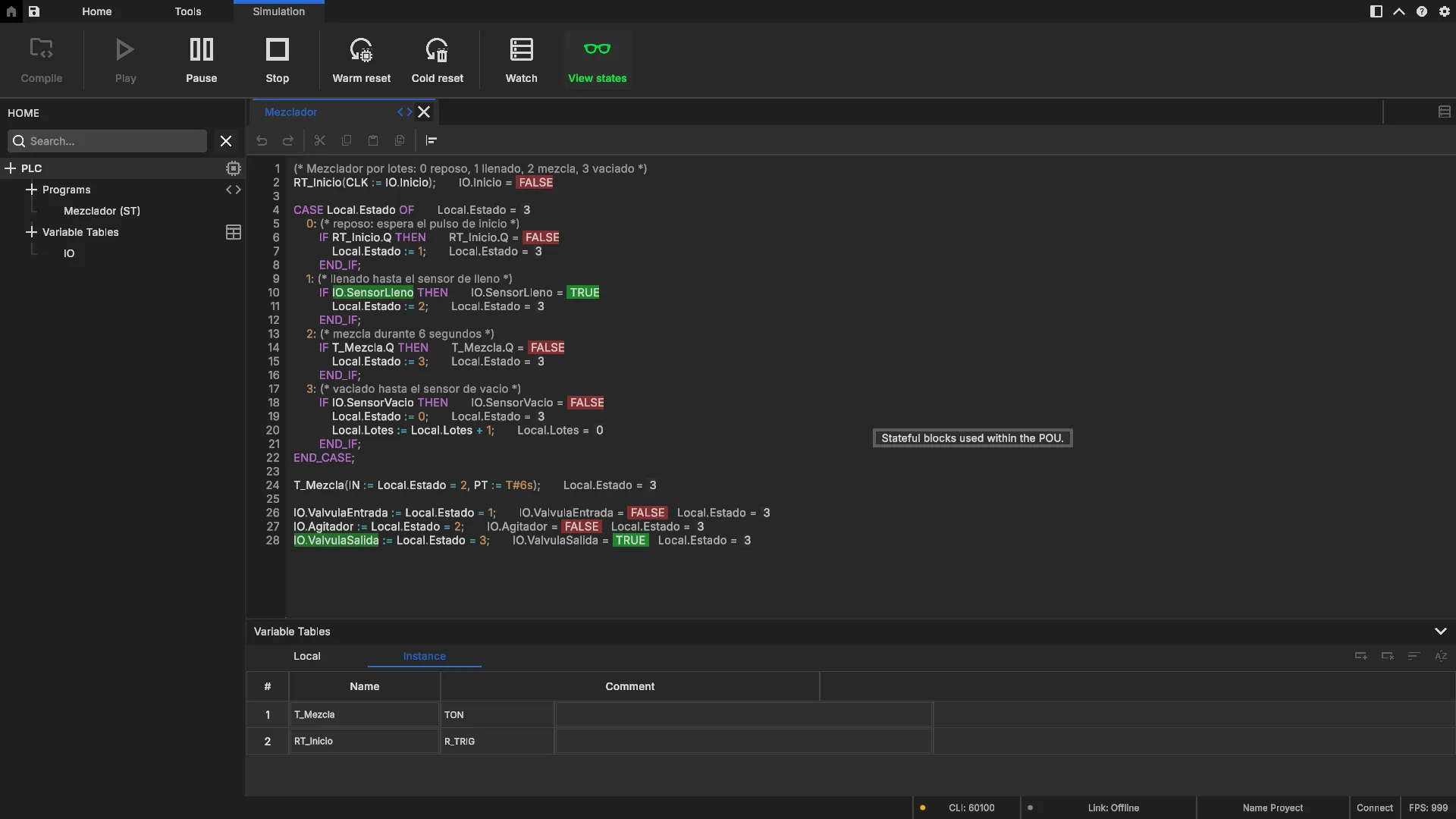
Example templates
ProtoCode ships with five ready-to-use templates. Each one is a complete, commented project that solves a typical automation problem in a different language. Use them to:
- Learn each language from a real, working example.
- Get started faster on a similar project by modifying the template instead of starting from scratch.
- Compare how the same kind of logic is solved in Ladder, FBD, Grafcet and ST.
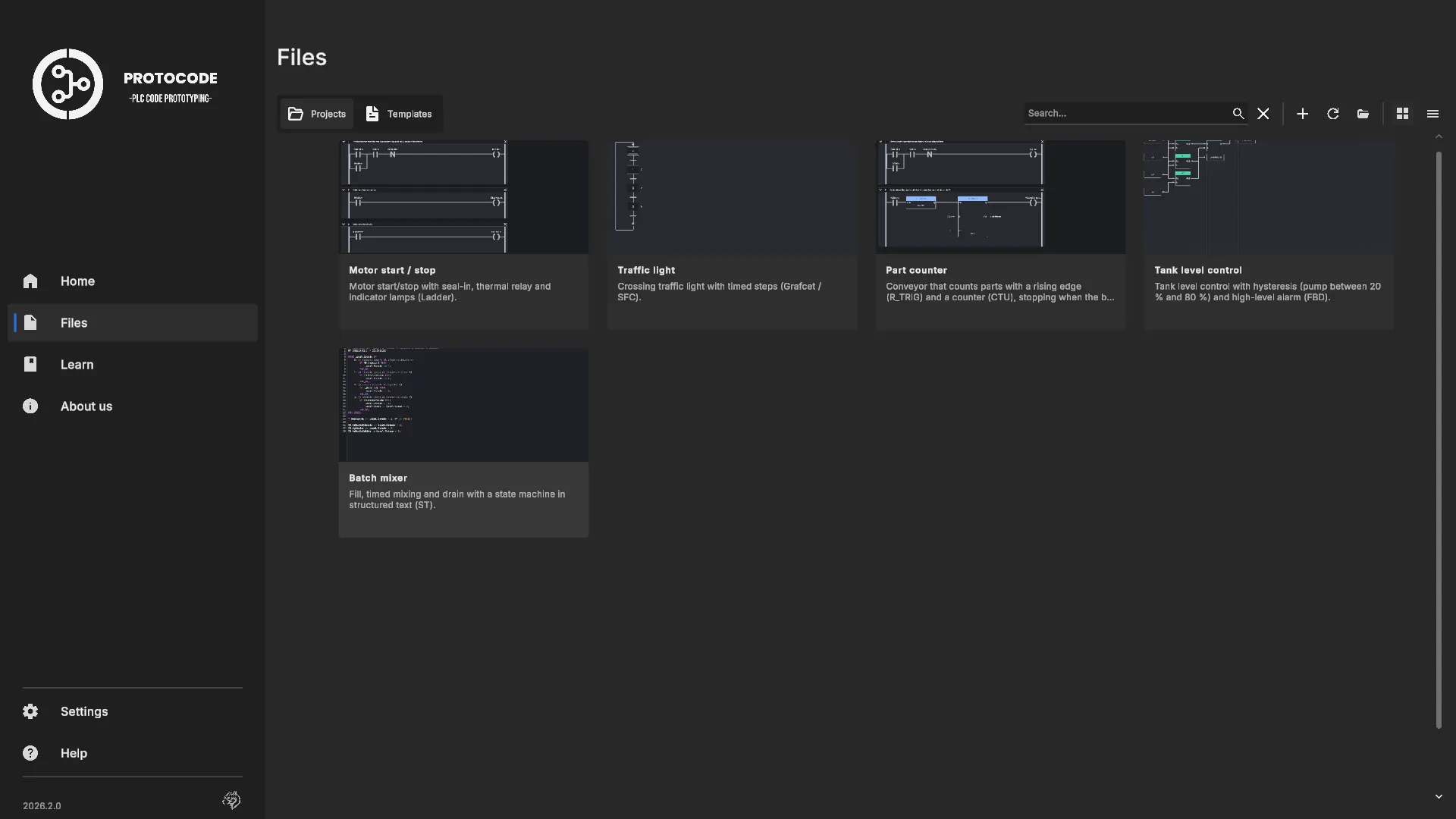
The templates’ variables and comments are in Spanish; the tables below translate them.
How to use a template
Section titled “How to use a template”- Go to Files → Templates (or press New template on the home screen).
- Click the template.
- In the New project dialog, enter a name and press Create.
A copy is created in your projects folder, so you can change it without breaking the original template.
| Template | Language | What it teaches |
|---|---|---|
| Motor start / stop | Ladder | Seal-in, NO/NC contacts, indicator lamps |
| Traffic light | Grafcet / SFC | Steps, transitions, N and D (delay) actions, jumps |
| Part counter | Ladder | Function blocks: R_TRIG edge and CTU counter |
| Tank level control | FBD | Comparators, RS bistable, hysteresis, alarms |
| Batch mixer | ST | State machine with CASE, TON timer |
Motor start / stop
Section titled “Motor start / stop”Language: Ladder · Program: Motor
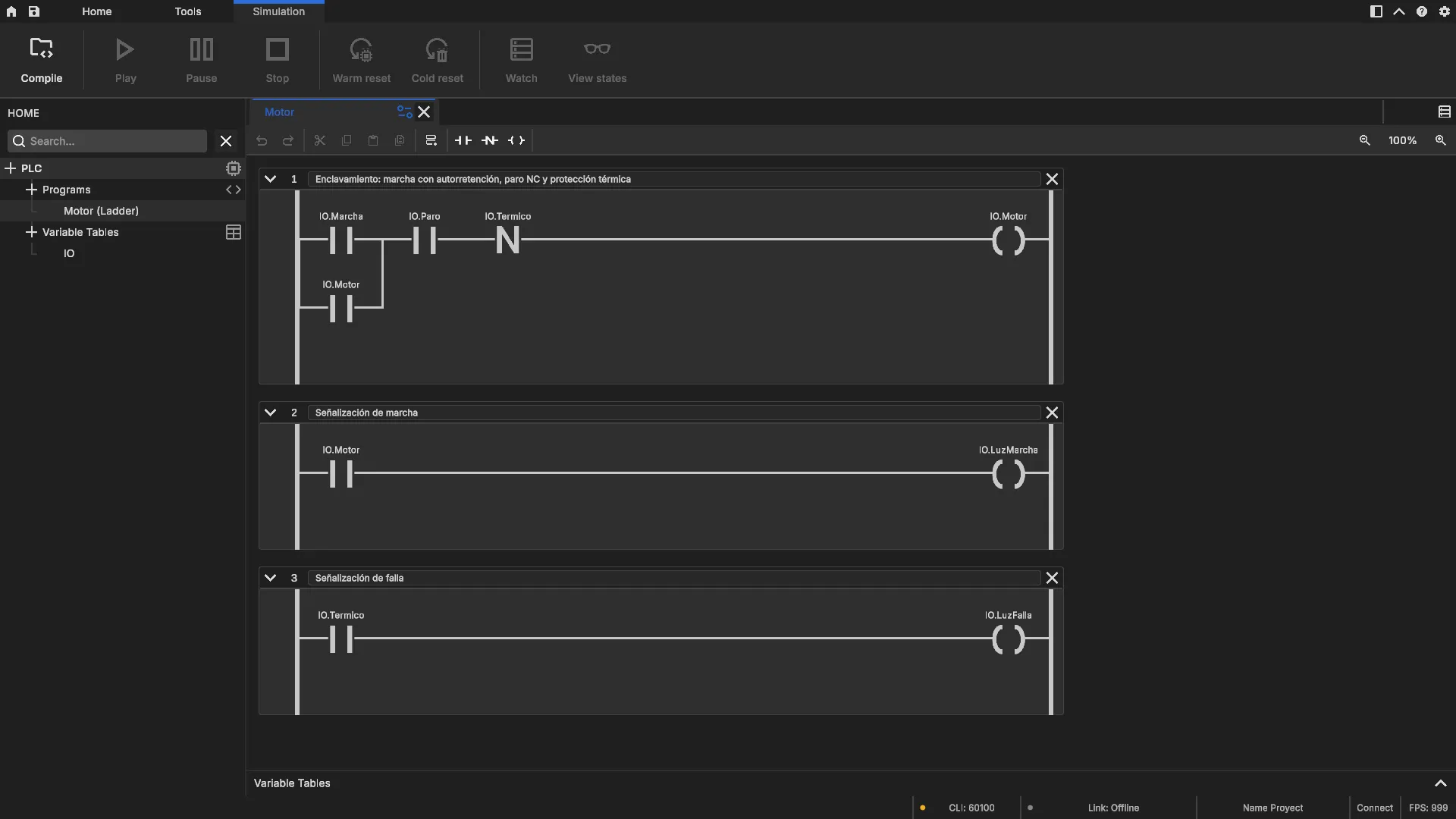
Motor start and stop with seal-in (self-holding), a normally closed stop button, thermal overload protection and indicator lamps.
| Variable | Type | Address | Description |
|---|---|---|---|
Marcha |
BOOL | %IX0.0 |
Start push button (NO) |
Paro |
BOOL | %IX0.1 |
Stop push button (NC: TRUE at rest) |
Termico |
BOOL | %IX0.2 |
Thermal relay tripped |
Motor |
BOOL | %QX0.0 |
Motor contactor |
LuzMarcha |
BOOL | %QX0.1 |
Green lamp: motor running |
LuzFalla |
BOOL | %QX0.2 |
Red lamp: thermal fault |
How it works
- Rung 1:
Marchain parallel withMotoritself (seal-in), in series withParoand withTermiconegated, drives theMotorcoil. - Rung 2: while the motor runs,
LuzMarchais on. - Rung 3: when the thermal relay trips,
LuzFallais on.
Try it: set Paro = TRUE, pulse Marcha and the motor seals in. Force Termico to 1 to see the fault. The full walkthrough is in Your first project.
Traffic light
Section titled “Traffic light”Language: Grafcet / SFC · Program: Ciclo
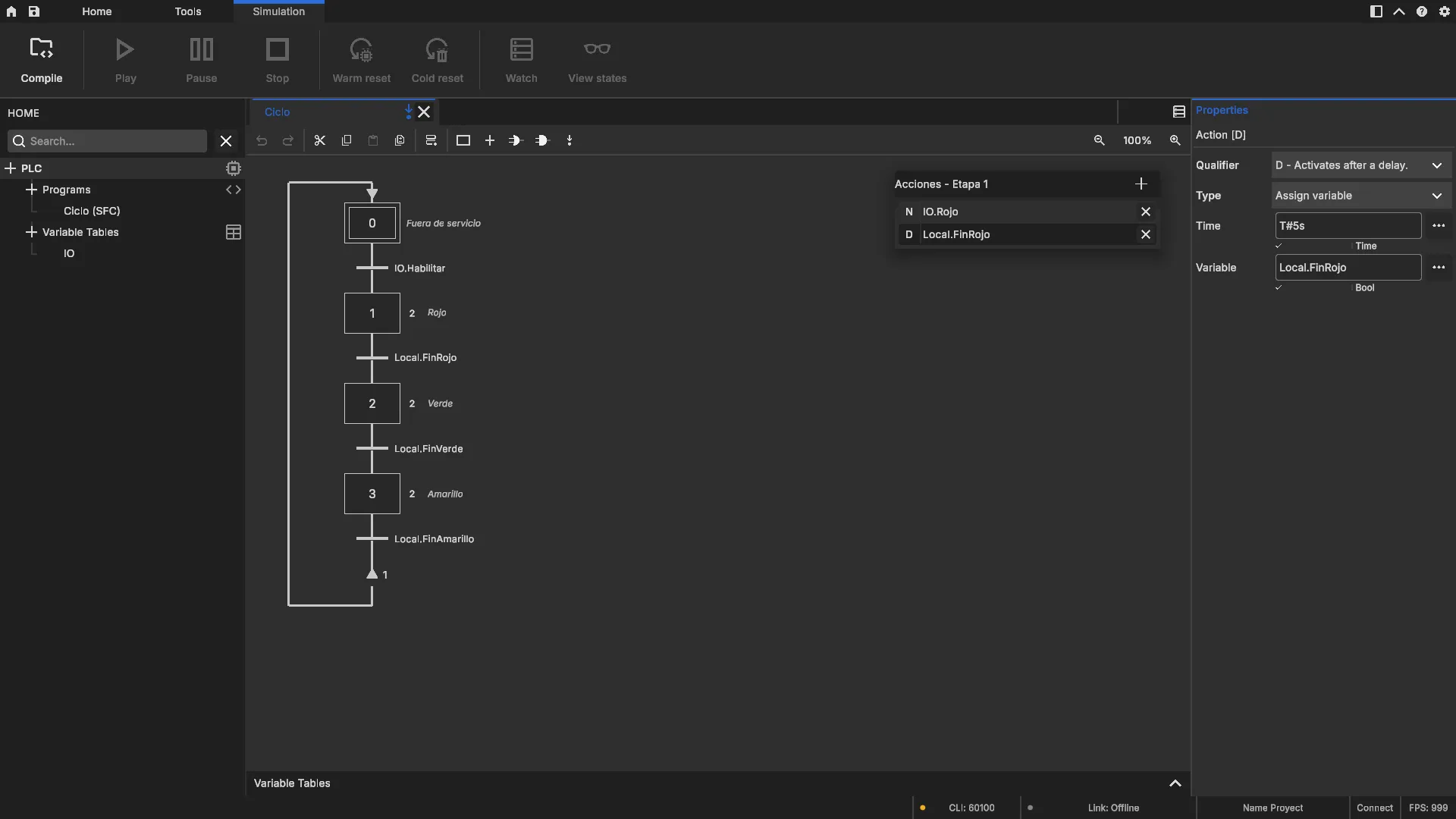
Crossing traffic light that cycles red → green → amber with a fixed time per step while the Habilitar (enable) selector is on.
| Variable | Type | Address | Description |
|---|---|---|---|
Habilitar |
BOOL | %IX0.0 |
Selector: traffic light in service |
Rojo |
BOOL | %QX0.0 |
Red light |
Amarillo |
BOOL | %QX0.1 |
Amber light |
Verde |
BOOL | %QX0.2 |
Green light |
Local.FinRojo / FinVerde / FinAmarillo |
BOOL | — | Time of each colour elapsed (local variables) |
How it works
| Step | Actions | Outgoing transition |
|---|---|---|
| 0 (initial) Out of service | — | IO.Habilitar |
| 1 Red | N IO.Rojo · D Local.FinRojo (T#5s) |
Local.FinRojo |
| 2 Green | N IO.Verde · D Local.FinVerde (T#4s) |
Local.FinVerde |
| 3 Amber | N IO.Amarillo · D Local.FinAmarillo (T#2s) |
Local.FinAmarillo → jump to step 1 |
- The N action keeps the light on while the step is active.
- The D (delayed) action sets the
Fin…variable once the step has been active for the given time; that variable is the condition to move to the next step. - The final jump goes back to step 1 and the cycle repeats.
Try it: start the simulation, turn on View states and set Habilitar = TRUE. Click a step to open its monitor (active time, activation count and the state of each action).
Part counter
Section titled “Part counter”Language: Ladder · Program: Conteo
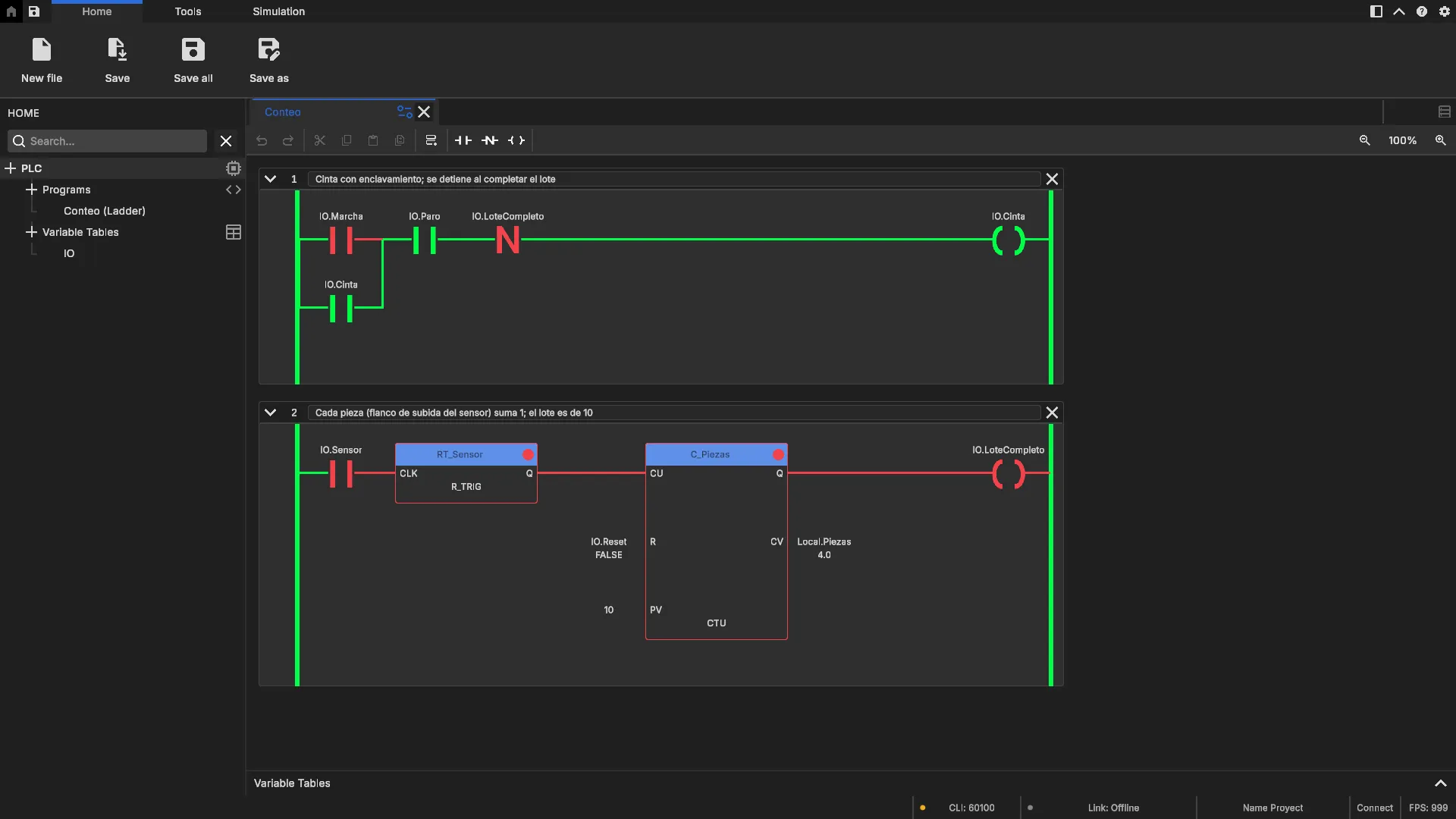
A conveyor counts the parts passing a photocell and stops when a batch of 10 is complete.
| Variable | Type | Address | Description |
|---|---|---|---|
Marcha |
BOOL | %IX0.0 |
Conveyor start |
Paro |
BOOL | %IX0.1 |
Stop (NC: TRUE at rest) |
Sensor |
BOOL | %IX0.2 |
Part photocell |
Reset |
BOOL | %IX0.3 |
Restarts the batch |
Cinta |
BOOL | %QX0.0 |
Conveyor motor |
LoteCompleto |
BOOL | %QX0.1 |
Batch complete |
Local.Piezas |
INT | — | Parts counted in the batch |
How it works
- Rung 1: conveyor seal-in (like the motor), also cut by
LoteCompleto. - Rung 2:
Sensorgoes through anR_TRIG(rising edge detector, instanceRT_Sensor) that produces a one-scan pulse per part. That pulse feeds theCTUcounter (instanceC_Piezas) onCU. WithPV = 10, outputQturnsLoteCompletoon when 10 is reached.CVis copied toLocal.PiezasandIO.Resetclears the count.
Try it: start the conveyor (Paro = TRUE, pulse Marcha) and pulse Sensor. Watch Local.Piezas go up and the conveyor stop at part 10. Turn on Reset to start another batch.
Tank level control
Section titled “Tank level control”Language: FBD · Program: Nivel
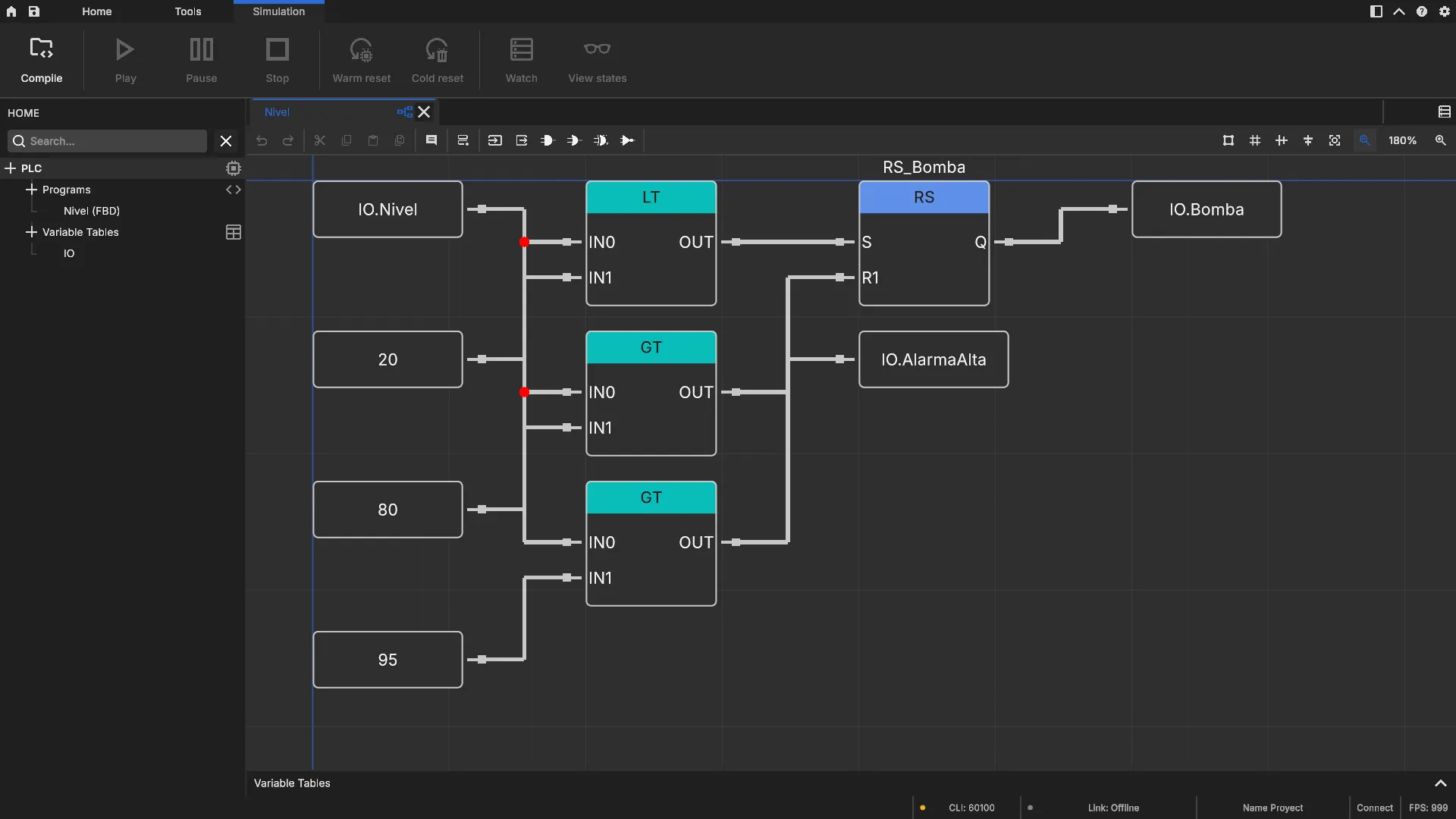
Tank level control with hysteresis: the fill pump starts below 20 % and stops above 80 %. There is also a high-level alarm above 95 %.
| Variable | Type | Address | Description |
|---|---|---|---|
Nivel |
INT | %IW0 |
Tank level in % (analog input) |
Bomba |
BOOL | %QX0.0 |
Fill pump |
AlarmaAlta |
BOOL | %QX0.1 |
Level above 95 % |
How it works
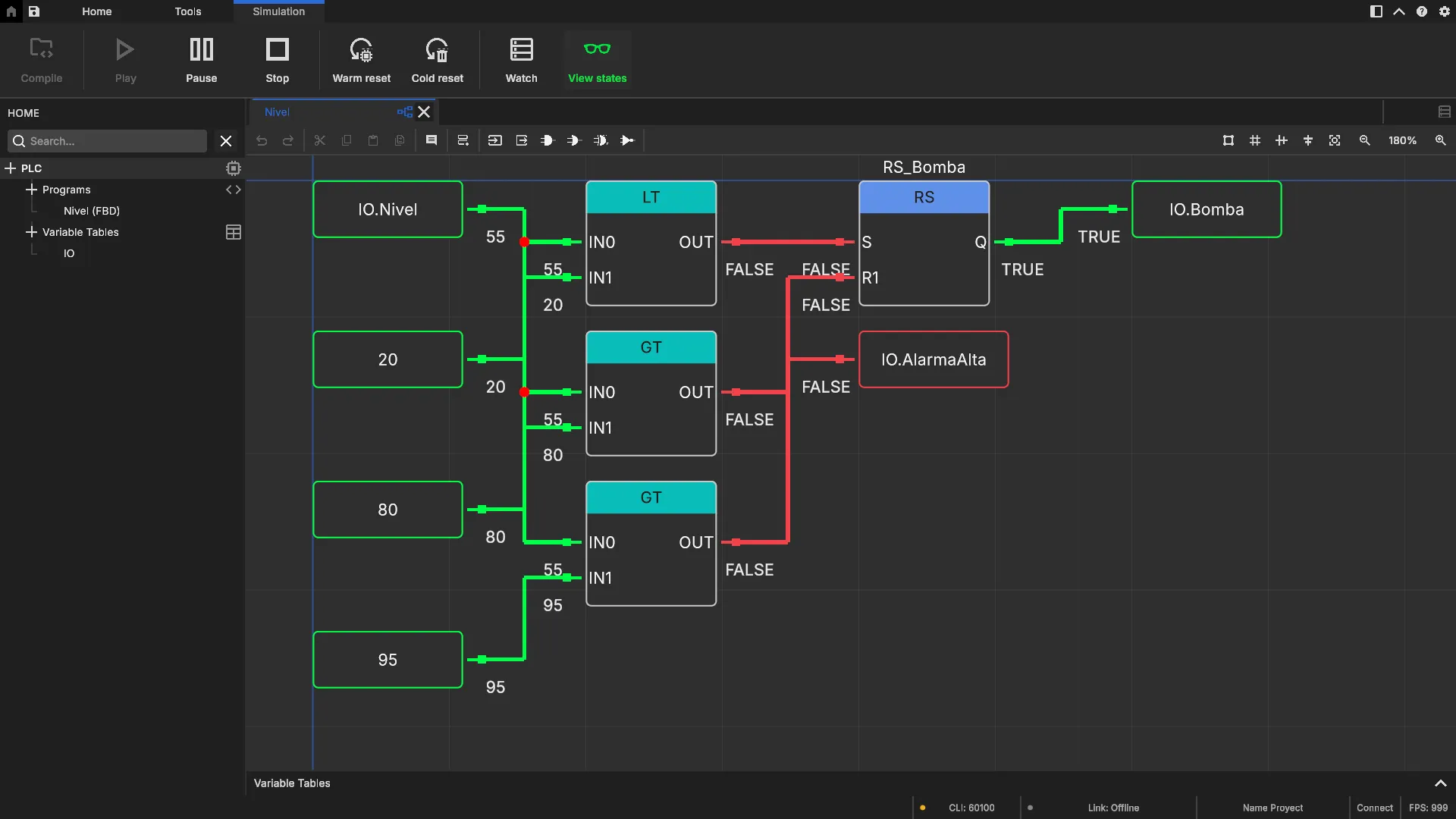
LT(Nivel, 20)→ input S of theRSbistable (instanceRS_Bomba): low level switches the pump on.GT(Nivel, 80)→ input R1 of theRS: high level switches it off.R1has priority.- Between 20 and 80 the
RSremembers its last state: that is the hysteresis, which prevents the pump from cycling on and off. GT(Nivel, 95)→AlarmaAlta.
Try it: in simulation write 10 to Nivel (the pump starts), then 55 (still running), 85 (stops) and 55 again (still stopped). At 97 the alarm turns on.
Batch mixer
Section titled “Batch mixer”Language: ST · Program: Mezclador
A mixer that fills a vessel, mixes for 6 seconds and drains it, implemented as a state machine in Structured Text.
| Variable | Type | Address | Description |
|---|---|---|---|
Inicio |
BOOL | %IX0.0 |
Batch start push button |
SensorLleno |
BOOL | %IX0.1 |
Vessel full |
SensorVacio |
BOOL | %IX0.2 |
Vessel empty |
ValvulaEntrada |
BOOL | %QX0.0 |
Inlet valve |
Agitador |
BOOL | %QX0.1 |
Agitator motor |
ValvulaSalida |
BOOL | %QX0.2 |
Outlet valve |
Local.Estado |
INT | — | 0 idle, 1 filling, 2 mixing, 3 draining |
Local.Lotes |
INT | — | Batches completed |
Instances: T_Mezcla (TON) and RT_Inicio (R_TRIG).
(* Mezclador por lotes: 0 reposo, 1 llenado, 2 mezcla, 3 vaciado *)RT_Inicio(CLK := IO.Inicio);
CASE Local.Estado OF    0: (* reposo: espera el pulso de inicio *)        IF RT_Inicio.Q THEN            Local.Estado := 1;        END_IF;    1: (* llenado hasta el sensor de lleno *)        IF IO.SensorLleno THEN            Local.Estado := 2;        END_IF;    2: (* mezcla durante 6 segundos *)        IF T_Mezcla.Q THEN            Local.Estado := 3;        END_IF;    3: (* vaciado hasta el sensor de vacio *)        IF IO.SensorVacio THEN            Local.Estado := 0;            Local.Lotes := Local.Lotes + 1;        END_IF;END_CASE;
T_Mezcla(IN := Local.Estado = 2, PT := T#6s);
IO.ValvulaEntrada := Local.Estado = 1;IO.Agitador := Local.Estado = 2;IO.ValvulaSalida := Local.Estado = 3;
How it works
RT_Inicioturns the push button into a one-scan pulse, so holding it down does not restart the batch.- The
CASEdecides which state the machine is in and when it moves to the next one. T_Mezclais an on-delay timer that only runs whileEstado = 2.- The outputs are computed at the end from the state: each valve or motor is only on in its own state.
Try it: pulse Inicio (the inlet valve opens), set SensorLleno = TRUE (the agitator runs for 6 s) and then SensorVacio = TRUE to finish the batch. With View states the editor shows the variable values next to each line.